
GMAIL · OUTLOOK · YAHOO 25 MB LIMIT · 1080P H.264 + AUTO BYTE CHECK · 0 UPLOADS
Compress Video to 25MB for Gmail & Email
Shrink confidential client demos, iPhone MOV recordings, or screen walkthroughs (up to 100 MB) cleanly under Gmail, Outlook, and Yahoo’s 25 MB email attachment limit — keeping crisp 1080p H.264 MP4 quality with automatic byte validation 100% locally in your browser without uploading private files.
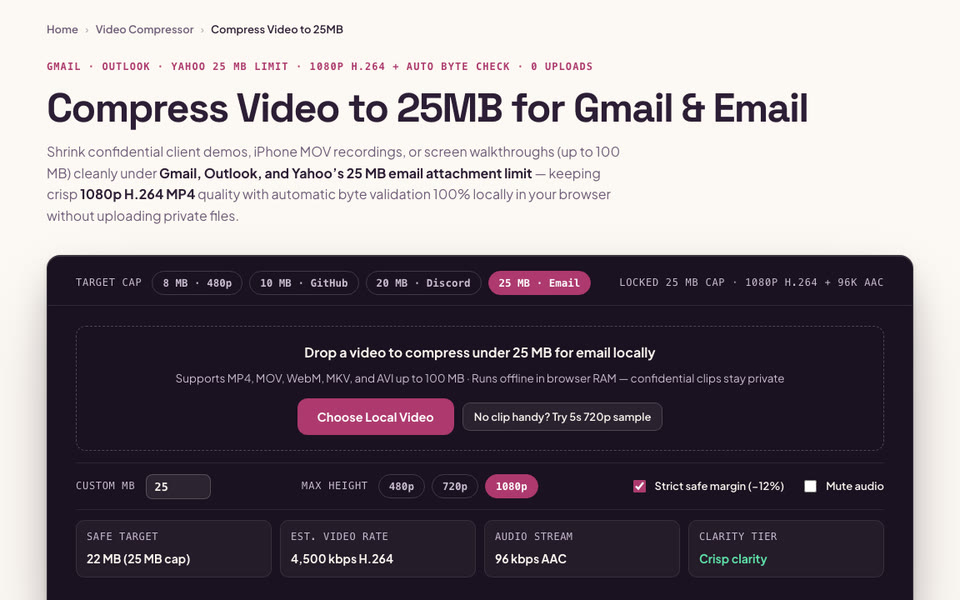
Drop a video to compress under 25 MB for email locally
Supports MP4, MOV, WebM, MKV, and AVI up to 100 MB · Runs offline in browser RAM — confidential clips stay private
Confidentiality guaranteed (0 uploads): Legal walkthroughs, medical demos, and client previews never touch external servers — FFmpeg WebAssembly compresses them strictly inside your browser RAM and validates final bytes automatically.
01 · ARCHITECTURE
Why Compressing Email Videos Locally Matters (And the Hidden 33% MIME Trap)
Most videos people attach to email aren’t disposable memes — they are NDA-covered client demos, HR onboarding clips, real-estate walkthroughs, insurance claims, or family moments recorded on an iPhone. Uploading a 90 MB sensitive clip to a random ad-supported cloud video compressor just to slip past Gmail’s 25 MB total attachment limit is an unnecessary privacy leak.
There are also two email engineering quirks almost every online compressor ignores: first, Gmail’s 25 MB ceiling covers the entire message including all attachments (anything over 25 MB is silently replaced with a Google Drive link), so targeting 22–23 MB leaves room for PDFs or photos alongside your clip. Second, standard SMTP email encodes binary attachments using Base64 MIME encoding, which inflates a 24.5 MB MP4 to roughly 32 MB in transit — causing corporate Exchange, Outlook.com (20 MB direct cap), and university mail servers to bounce attachments larger than 18–19 MB raw. SaveByLink pre-locks your target at 25 MB with 0.88× binary MiB safe margin (22.00 MiB ≈ 23.07M B — −12% vs 25 MiB / ~7.7% vs decimal 25,000,000 B) plus automatic decimal byte checking for Gmail/Yahoo, and gives you a one-click 19 MB SMTP-Safe preset below for strict corporate gateways — all 100% locally in browser RAM (for >100 MB raw 4K shoots or highly regulated files, use free offline desktop tools like HandBrake or Shutter Encoder).
Privacy-first email architecture: confidential client and personal recordings compress locally in browser memory into universal H.264 MP4 with zero cloud exposure.
02 · WORKFLOW & SMTP BASE64 MATH
How to Compress a Video Under 25 MB for Gmail & Outlook in 3 Steps
- 01Drop your local video up to 100 MB (or try the 5s sample): Select any iPhone MOV, macOS QuickTime screen recording, or Android MP4. SaveByLink inspects duration and dimensions locally without making a single outbound upload request.
- 02Keep 25 MB (22.0 MiB safe) for Gmail — or type 19 MB for corporate Outlook/Exchange: The stage defaults to 1080p with 96 kbps stereo AAC, giving clips up to 90–120 seconds generous sharpness. For recordings over 2 minutes, tap 720p so text slides and product UI remain razor crisp.
- 03Encode offline, inspect verified bytes, and attach directly to your email: Press Compress to 25 MB Locally. Verify the exact byte count, the green
Fits 25 MB decimal cap ✓pill, and the inline player, then attach the universalyuv420p +faststartMP4 cleanly in Gmail, Apple Mail, or Outlook.
Gmail vs Outlook vs Corporate Exchange: Exact Attachment Ceilings Explained
Email attachment limits vary depending on both the sender’s provider and the recipient’s incoming mail server. Gmail and Yahoo Mail allow up to 25 MB for direct attachments (Gmail automatically falls back to Google Drive above 25 MB, which breaks for recipients blocked from external Google Drive links). Outlook.com caps direct attachments at 20 MB (or 25 MB on select Microsoft 365 plans), and iCloud Mail caps standard attachments at 20 MB before triggering Mail Drop.
Because Base64 MIME transport adds ~33% overhead on traditional SMTP relays, compressing to 22.0 MiB (~23.07M bytes) works smoothly for Gmail-to-Gmail and Yahoo webmail, whereas entering 19 MB in Custom MB (or clicking Scenario 02 below) keeps even Base64-encoded corporate Exchange deliveries safely under the 25 MB receiving threshold.
Email attachment ceiling ruler: 22 MiB (~23.07M B) clears Gmail’s 25 MB direct limit cleanly, while 19 MB clears Outlook 20 MB limits and strict SMTP Base64 corporate relays.
03 · PRACTICAL SCENARIOS
Pick Your Email Provider Preset & Jump Straight to the Stage

04 · TECHNICAL SPECIFICATIONS
Email Provider Limits & 25 MB Local Encoder Matrix
Table 1 below is open by default to compare major email provider caps (including MIME Base64 expansion); expand Table 2 for our exact browser FFmpeg WebAssembly H.264 settings.
| Email Service / Clip Length | Published Cap | Recommended Target MB | Ideal Max Resolution | Behavior / Practical Tip |
|---|---|---|---|---|
| Gmail (Web & App) | 25 MB total message | 22.0 MiB (~23.07M B) | 1080p (≤1–2 min) | Leaves ~2 MB for extra attachments; >25 MB forces Google Drive link |
| Outlook.com / Hotmail | 20 MB | 17.6 MiB (20 MB preset) | 1080p or 720p | Blocks direct attach; prompts OneDrive share |
| Corporate Exchange / SMTP | 20–25 MB wire | 18.0–19.0 MB raw | 720p or 1080p | Hard bounce due to +33% Base64 MIME expansion |
| Yahoo Mail | 25 MB | 22.0 MiB (~23.07M B) | 1080p (≤2 min) | Rejects attachment or prompts cloud storage |
| Apple iCloud Mail | 20 MB direct | 17.6 MiB (20 MB preset) | 1080p or 720p | Falls back to temporary 30-day Mail Drop link |
| 3–5 Min Email Walkthrough | 25 MB Gmail cap | 22.0 MiB safe target | 480p (or trim first) | Matches HandBrake Social 25 MB tiers; trim dead footage first |
| Specification | SaveByLink Compress Video to 25MB |
|---|---|
| Pre-Locked Cap & Units | 25 MB email preset with 0.88× binary MiB safe target (22.00 MiB ≈ 23.07M B — −12% vs 25 MiB / ~7.7% vs decimal 25,000,000 B), customizable to 19 MB for SMTP relays |
| Auto Byte Validation | Inspects actual output bytes after pass 1; runs 1 automatic proportional retry if output exceeds 25,000,000 B while Strict safe margin is checked |
| Video Codec & Compatibility | Universal 8-bit H.264 (libx264, yuv420p, -movflags +faststart) playable natively on Windows, macOS, iOS, and Android |
| Audio Stream Quality | 96 kbps stereo AAC (-ac 2) for rich voiceovers and music, or 1-click mute (-an) |
| Input Formats & RAM Cap | Local MP4, MOV (iPhone/QuickTime), WebM, MKV, and AVI up to 100 MB (use offline desktop HandBrake or Shutter Encoder for >100 MB raw footage) |
| Confidentiality & Privacy | 0 bytes uploaded (0 uploads) — 100% browser RAM execution; works offline in Airplane Mode once cached |
05 · CROSS-PLATFORM PLAYBACK & HONEST BOUNDARIES
Ensuring Your Emailed Video Actually Opens on Every Recipient’s Device
Nothing derails a client pitch faster than emailing a compressed .mov or .webm clip that your recipient cannot play on Windows Outlook or an older corporate laptop. Modern iPhones record in Apple HEVC inside .mov, while Chrome screen recorders export .webm (VP9) — both of which trigger codec errors on locked-down enterprise Windows machines.
Every export from SaveByLink’s 25 MB Email stage is normalized into universal 8-bit H.264 yuv420p MP4 with 96 kbps stereo AAC and +faststart header placement. It previews natively inside Gmail, Apple Mail, Outlook, Windows Media Player, iPhone Photos, and Android without forcing your recipient to install VLC or accept a Google Drive permission link.
Need to send that same clip on chat apps or developer trackers? Jump straight to our Compress Video to 20MB for Discord (updated for Discord’s August 2026 free limit), our 10 MB GitHub & Strict Portal Compressor, or our 8 MB Video Compressor — or extract just the narration track with our Video to MP3 Converter.
Three Honest Boundaries Before You Compress
100 MB Browser Memory Cap
To keep browser tabs stable on laptops and phones, input videos are capped at 100 MB. For 500 MB–4 GB raw camera shoots, use desktop HandBrake or native FFmpeg.
Recipient Mail Server Policies Vary
Even a 22 MiB file that leaves Gmail cleanly can bounce if the recipient’s company caps incoming mail at 10 MB or 20 MB. Use 19 MB (or 10 MB) when emailing strict corporate domains.
Keep Tab Focused Until Complete
Local WebAssembly encoding runs on your own CPU with zero server offload. Leave the tab active while the progress bar finishes to avoid mobile OS background throttling.
06 · FREQUENTLY ASKED QUESTIONS & RELATED TOOLS
Compress Video to 25MB for Email FAQ
How do I compress a video to under 25 MB for Gmail without uploading it?
Drop your video (up to 100 MB) into the stage above — it is pre-locked to 25 MB with a 22.0 MiB safe margin, automatic decimal byte validation, and 1080p H.264 output — then click Compress to 25 MB Locally. Zero bytes leave your device.
Why did my 23 MB email attachment still bounce on Outlook or corporate email?
SMTP gateways encode attachments in Base64 MIME, expanding raw file size by ~33% in transit, and Outlook.com caps direct attachments at 20 MB. Enter 19 MB in Custom MB (or click Scenario 02) for reliable corporate delivery.
Is it safe to compress confidential client or legal videos here?
Yes. 100% of decoding and H.264 encoding executes locally inside your browser tab via FFmpeg WebAssembly (0 uploads, 0 server storage). You can even disconnect Wi-Fi once the ~31 MB WASM engine loads.
Will a compressed 1080p iPhone MOV video play on Windows Outlook?
Yes. SaveByLink transcodes Apple HEVC/MOV clips into universal 8-bit H.264 (yuv420p) MP4 with stereo AAC and +faststart headers, which opens natively across Windows, macOS, iOS, and Android.
How long can a 25 MB video be while staying sharp at 1080p?
At 22.0 MiB safe target, clips up to 90–120 seconds hold roughly 1,400–2,000+ kbps — sharp for 1080p demos and interviews. For 2–4 minute walkthroughs, switch Max Height to 720p for crisper UI text.
Why does Gmail convert videos over 25 MB into a Google Drive link?
Gmail enforces a hard 25 MB ceiling on direct email attachments and automatically uploads larger files to Google Drive. Shrinking your video under 22 MiB (~23.07M B) keeps it as a true self-contained attachment with no Drive sharing permission hassles.
Does SaveByLink add watermarks or limit how many videos I can compress?
No. Because all compression runs locally on your own hardware instead of paid cloud servers, there are zero watermarks, zero signups, and zero daily limits.
What if my original video is larger than 100 MB?
Browser WebAssembly caps single inputs at 100 MB to prevent tab out-of-memory crashes. For multi-hundred-MB or 4K camera files, compress locally with free desktop HandBrake (H.264 Fast 1080p30).
Companion SaveByLink Video & Audio Tools
- Compress Video to 20MB for Discord & OutlookPre-locked 20 MB compressor for Discord’s August 2026 free tier, Outlook.com, and iCloud Mail.
- All-in-One Browser Video CompressorCompare 8 MB, 10 MB, 20 MB Discord, and 25 MB Email presets in one unified offline workbench.
- Compress Video to 10MB OnlinePre-locked 10 MB compressor for GitHub Issues and strict 10 MB portals (8.80 MiB safe target).
- Compress Video to 8MB for Forums & Legacy BotsStrict 8 MB video compressor tuned to 480p and 7.04 MiB safe margin locally.
- Browser Audio Cutter & ConverterTrim voiceovers or demos and export MP3, WAV, or M4A locally with fade-in/out.
- Video to MP3 ConverterStrip lightweight 128/192/320 kbps MP3 audio from long recordings before emailing.