
Public Facebook Reels MP4 · Zero Storage · Free
Facebook Reels Downloader
Need to save a public Facebook Reel in clean progressive MP4 without logging into Meta, installing shady browser extensions, or getting hit with fake 4K popups? Paste any public facebook.com/reel/…, share/r/…, or fb.watch/… link to save original progressive MP4 streams or extract 128–320 kbps MP3 locally in your browser (0 uploads).
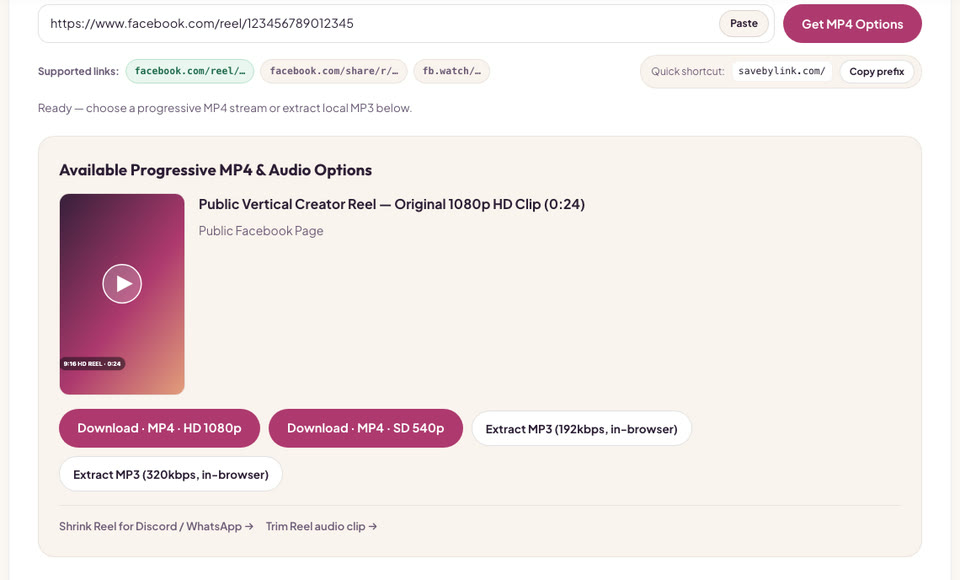
Available Progressive MP4 & Audio Options
Lists the real HD/SD progressive MP4 streams published by Facebook with no added watermark.
Handles /reel/, mobile /share/r/ links, fb.watch short URLs, and full copied share text.
Convert any resolved public Reel into 128, 192, or 320 kbps MP3 right in your browser.
No Meta login, no cookies read, no disk cache; signed download links expire in 15 minutes.
How to Download a Facebook Reel in 3 Steps
- Copy the public Facebook Reel link: Open any publicly visible Reel in the Facebook iOS app, Android app, or desktop web browser, tap Share, and select Copy link. SaveByLink accepts standard
facebook.com/reel/…links, new mobilefacebook.com/share/r/…links,fb.watch/…short URLs, and even full copied share captions containing one URL. - Inspect exposed progressive MP4 streams without logging in: Paste the URL into Step 1 (or tap Paste) and press Get MP4 Options. Our resolver inspects the public Reel page and public embed player metadata to surface the real progressive MP4 streams Facebook serves—without asking for your Facebook credentials or reading browser cookies.
- Save original MP4 or extract local MP3 audio: Click your preferred MP4 button (HD or SD as exposed by the source Reel) to save the clip directly to your Downloads folder with zero added watermarks. Need just the speech or backing track? Click Extract MP3 (128, 192, or 320 kbps) to encode audio locally inside your browser tab via FFmpeg WebAssembly (0 uploads).
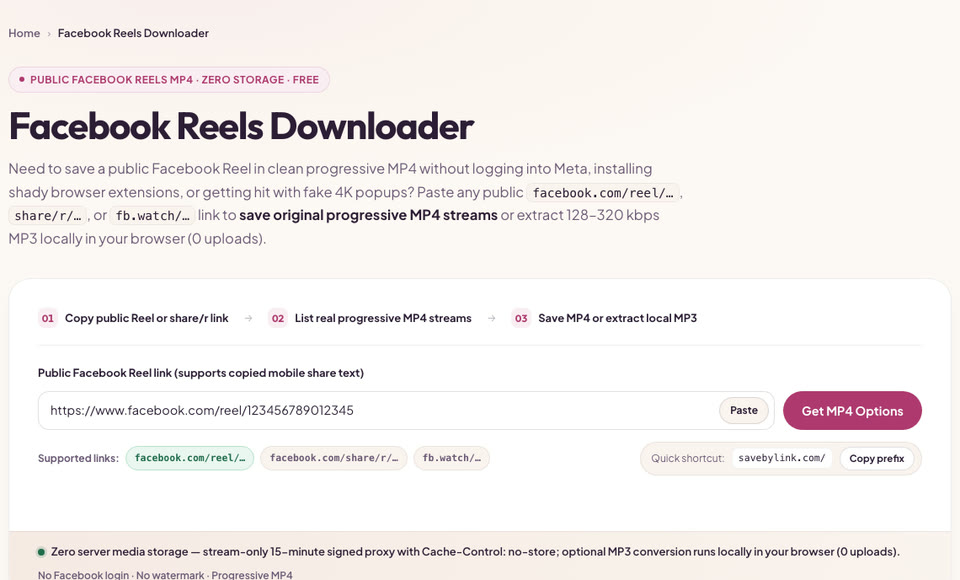
facebook.com/reel/…, share/r/…, or fb.watch URL—the format strip validates supported Facebook paths instantly before resolving.Saving Public Facebook Reels in True Progressive MP4 (No Fake 4K Traps)
Many generic "Facebook Reels downloader" sites follow the same deceptive playbook: they slap fake "4K Ultra HD" buttons next to pop-under ad traps, force users to install sketchy Chrome extensions that harvest Meta cookies, or deliver silent video-only DASH segments that refuse to play with sound on iPhone and Windows.
SaveByLink keeps the pipeline radically honest and transparent. When you submit a public Facebook Reel URL, our edge resolver checks only publicly accessible metadata and returns the authentic progressive MP4 streams (with audio already muxed in) that Facebook actually publishes for that post. We never fabricate upscaled resolutions, never stamp our own watermark onto creator videos, never run remote disk caches, and never reassemble fragmented streams on hidden servers. Every signed proxy link streams directly with Cache-Control: no-store and automatically expires after 15 minutes.
Supported Facebook Reel & Video URL Formats Matrix
Facebook generates different link patterns depending on whether you copy from the mobile Reels tab, Share sheet, or desktop feed. Check the exact compatibility matrix below.
| Facebook URL Format | Example Link | Supported Here? | Output Options | Best Tool Match |
|---|---|---|---|---|
| Standard Reel URL | facebook.com/reel/123456789 | Yes (Public only) | Progressive HD/SD MP4 + local MP3 | This Facebook Reels Downloader |
| Mobile Share Short Link | facebook.com/share/r/1A2b3C4d | Yes (Auto-resolved) | Progressive HD/SD MP4 + local MP3 | This Facebook Reels Downloader |
| fb.watch Short URL | fb.watch/abcXYZ123/ | Yes (Public only) | Progressive HD/SD MP4 + local MP3 | Reels or FB Video Downloader |
| Copied Mobile Caption | Caption text + one public FB Reel URL | Yes (Auto-cleaned) | Extracts valid URL automatically | This Facebook Reels Downloader |
| Private / Friends / Group | Login-gated, friends-only, or closed group | No (Respected) | Not accessible without Meta auth | Not supported (privacy boundary) |
Looking to archive longer horizontal Facebook Watch episodes or public Page broadcasts? Switch anytime to our dedicated Facebook Video Downloader.
Technical Specifications, Privacy & Honest Boundaries
| Specification | SaveByLink Facebook Reels Downloader |
|---|---|
| Supported Inputs | Public HTTPS facebook.com/reel/…, facebook.com/share/r/…, facebook.com/share/v/…, and fb.watch/… links |
| Video Output | Original progressive MP4 streams (HD / SD) matching what the public Reel publishes, with original audio and zero added watermark |
| Audio Extraction | Optional 100% local in-browser FFmpeg WebAssembly MP3 encoding (128, 192, or 320 kbps — 0 uploads to any conversion server) |
| Privacy & Storage | 0 bytes stored Zero server media storage; signed stream proxy expires in 15 minutes with Cache-Control: no-store |
| Account & Cookies | Zero Facebook login, zero browser extension, zero Meta session cookies read or stored |
| Explicit Boundaries | Public Reels only; does not resolve private profiles, friends-only posts, closed groups, age/region-gated videos, or server-side HLS/DASH stream merging |
How to Save Facebook Reels on iPhone, Android, Windows & macOS
iPhone & iPad (Safari or Chrome): Open the public Reel in the Facebook app, tap Share → Copy link, paste it into Step 1 above, and tap Get MP4 Options. Tap your chosen MP4 stream and Safari saves the video cleanly into the Downloads folder inside Apple’s Files app—open Files, tap the clip, and select Share → Save Video to move it directly into your Photos library.
Android & Desktop Browsers: On Android Chrome, Edge, or Firefox, tapping Download · MP4 writes the file directly into your device Downloads folder so it appears immediately in Gallery or Google Photos. On Windows, macOS, and Linux, copy the Reel URL from the address bar, paste with Ctrl+V or Cmd+V, and save the MP4 cleanly with zero software installation.
After Downloading: Compress Reels for Discord/Email or Trim Audio Locally
High-motion vertical 1080p Facebook Reels often run 15 MB to 35 MB—too heavy to post inside a free Discord channel (10 MB limit), send as an inline WhatsApp video (16 MB), or attach to a standard Gmail message (25 MB). Right after saving your Reel MP4, drop it into our Browser Video Compressor to shrink it locally to an exact 8 MB, 10 MB, 16 MB, or 25 MB target inside browser RAM with zero uploads.
If you only want a 15-second voice quote or hook from a saved Reel, click Extract MP3 in the result card above or open our Audio Cutter & Converter to trim exact 0.1-second start/end timestamps with smooth fade-in/out and export MP3, WAV, or M4A offline.
Troubleshooting Missing Reels & Responsible Creator Rights
If SaveByLink reports that no downloadable video was found, verify three quick details. First, paste the Reel link into a logged-out incognito browser window—if Facebook prompts you to sign in, the Reel is set to Friends-only, posted inside a private Group, or restricted by age/region, so unauthenticated tools cannot fetch it. Second, verify the Reel was not deleted or turned into an ad-only dark post. Third, some creator Reels are published exclusively as encrypted or split audio/video streams without a public progressive MP4; SaveByLink transparently declines those instead of serving broken silent files.
Downloading a public Reel does not transfer copyright or commercial licensing rights. Always use this Facebook Reels downloader exclusively to back up your own creator uploads, archive permitted clips for offline viewing, or reuse content with the copyright holder’s explicit consent.
Frequently Asked Questions
Can I download a private, friends-only, or closed-group Facebook Reel?
No. SaveByLink inspects only publicly accessible Facebook Reel links without signing in or reading your browser cookies. Private profiles, friends-only posts, closed-group clips, and login-gated Reels cannot be resolved.
Does this Facebook Reels downloader work with facebook.com/share/r/ mobile links?
Yes. Both classic facebook.com/reel/… URLs, newer mobile facebook.com/share/r/… links, fb.watch short URLs, and full copied share text containing a single public link are accepted and cleaned automatically.
Will the downloaded Facebook Reel keep its original audio and resolution?
Yes. SaveByLink lists the real progressive MP4 streams exposed by the public Reel—complete with original audio and no added SaveByLink watermark. Quality always matches what Facebook publishes publicly.
How do I save a Facebook Reel to my iPhone camera roll (Photos)?
Copy the public Reel link from Facebook, paste it above in Safari, tap Download MP4, then open Apple’s Files app → Downloads, tap the saved MP4, and choose Share → Save Video to add it to Photos.
Can I extract MP3 audio from a public Facebook Reel?
Yes. Once your public Reel resolves, click any Extract MP3 button (128, 192, or 320 kbps). FFmpeg WebAssembly encodes the audio locally inside your browser tab with 0 uploads to any transcoding server.
Why does SaveByLink not show fake 4K options when a Reel is 720p or 1080p?
We never artificially upscale videos or display misleading quality labels. Only the genuine progressive MP4 variants exposed by the public post are listed.
Does SaveByLink store copies of the Facebook Reels I download?
No. Our Cloudflare edge proxy operates strictly in stream-only mode with zero disk storage. Signed download links expire after 15 minutes and include Cache-Control: no-store headers.
What is the difference between this page and Facebook Video Downloader?
This page is streamlined for vertical short-form /reel/ and /share/r/ links, while our Facebook Video Downloader handles long-form Facebook Watch episodes, public Page broadcasts, and general video posts.
More Free Browser Tools & Facebook Guides
- Facebook Video DownloaderSave long-form public Facebook Watch videos, Page uploads, and fb.watch clips in progressive MP4.Open FB Video Downloader →
- Browser Video CompressorShrink downloaded Reels MP4s to 8 MB, 10 MB Discord, 16 MB WhatsApp, or 25 MB Gmail locally—0 uploads.Open Video Compressor →
- Audio Cutter & ConverterTrim exact voice clips or music hooks from saved Reels into MP3, WAV, or M4A with smooth fade-in/out.Open Audio Cutter →
- Instagram Video & Reels DownloaderSave public Instagram Reels and video posts cleanly in MP4 without login or watermarks.Open Instagram Downloader →