
PUBLIC TIKTOK AUDIO · BROWSER FFMPEG WASM · 0 UPLOADS
TikTok to MP3 Downloader
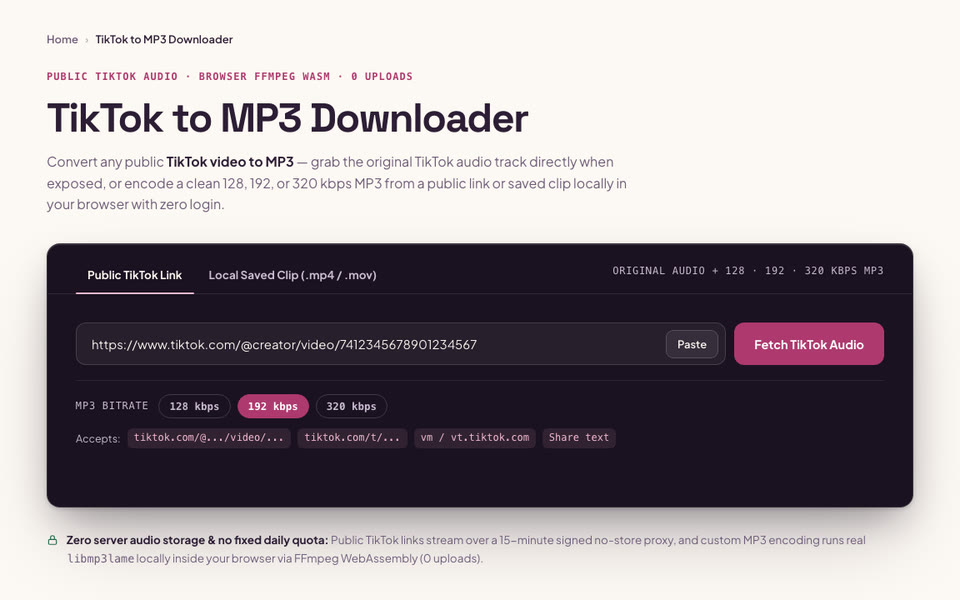
Convert any public TikTok video to MP3 — grab the original TikTok audio track directly when exposed, or encode a clean 128, 192, or 320 kbps MP3 from a public link or saved clip locally in your browser with zero login.
Drop a saved TikTok clip or local video here
Supports MP4, MOV, WebM, and MKV up to 100 MB · Encodes 100% inside your browser RAM
Zero server audio storage & no fixed daily quota: Public TikTok links stream over a 15-minute signed no-store proxy, and custom MP3 encoding runs real libmp3lame locally inside your browser via FFmpeg WebAssembly (0 uploads).
01 · ARCHITECTURE
Why Browser-Local TikTok to MP3 Conversion Beats Cloud Rippers
Most TikTok to MP3 downloader sites bounce every pasted link through pop-under ad networks, throttle conversion behind fake loading bars, or simply rename an AAC/MP4 audio stream to .mp3 — breaking car stereos, older MP3 players, and strict audio editors. Worse, when you only want to pull audio from a TikTok draft you already saved to your camera roll, cloud converters force you to upload the entire MP4 back to an unknown server.
SaveByLink runs a clean two-path browser architecture with no fixed anonymous daily quota. First, when you paste any public tiktok.com/@user/video/ID, tiktok.com/t/..., vm.tiktok.com, or vt.tiktok.com link (including messy mobile share captions), our edge worker checks public post metadata and verifies the official TikTok CDN stream before signing a 15-minute Cache-Control: no-store proxy link. If TikTok exposes its native original audio track, you get a one-click download immediately — and whenever you need a guaranteed true MPEG-1 Layer III .mp3 at 128, 192, or 320 kbps (or want to convert a saved local clip up to 100 MB offline), our cached FFmpeg WebAssembly core runs genuine libmp3lame 44.1 kHz encoding strictly inside your browser RAM.
Architectural comparison: cloud sites buffer and re-encode TikTok files on remote servers, while SaveByLink streams directly or encodes locally in browser memory.
02 · WORKFLOW & AUDIO FIDELITY
How to Convert a Public TikTok Video to MP3 in 3 Steps
- 01Copy a public TikTok share link (or switch to a saved clip): Open the public TikTok video in the mobile app or desktop web browser, tap the curved Share arrow, and tap Copy Link. SaveByLink automatically strips surrounding captions and hashtags from mobile share text, and resolves
vm.tiktok.comandvt.tiktok.comshort links cleanly. - 02Choose direct original audio or pick 128 / 192 / 320 kbps MP3: After clicking Fetch TikTok Audio, download TikTok’s native audio track in one click whenever available, or select 128 kbps for spoken clips, 192 kbps for balanced music playback, or 320 kbps for downstream editing headroom inside CapCut, Premiere, or our Audio Cutter.
- 03Preview in your browser and save the MP3 directly to Downloads: Local WebAssembly encoding plays back inside the built-in stage audio player so you can verify exact sound and sync before clicking Download MP3 — no app install, no watermark, and no account login required.
The Truth About TikTok Audio Bitrates & Real LAME MP3 Encoding
TikTok delivers most vertical video soundtracks as stereo LC-AAC between 64 kbps and 128 kbps at 44.1 kHz (occasionally up to 160 kbps on select music-partner tracks). Understanding that native ceiling prevents wasted storage: no online TikTok MP3 downloader can restore upper harmonics that TikTok already discarded during upload compression.
When TikTok exposes its native original audio stream, downloading it directly avoids any extra transcoding generation altogether. When you select 128, 192, or 320 kbps local extraction, SaveByLink runs genuine FFmpeg libmp3lame at 44.1 kHz rather than merely renaming an M4A/MP4 audio stream. Measured on our built-in 5.00-second 720p test clip (sample-demo-720p.mp4, 1,175,657 bytes, tested 2026-11-25), real LAME encoding outputs 81,230 bytes (79.3 KB) at 128 kbps, 121,772 bytes (118.9 KB) at 192 kbps, and 202,856 bytes (198.1 KB) at 320 kbps. Pick 192 kbps MP3 for transparent everyday playback; if you plan to trim or remix in a DAW, save the untouched original audio or export uncompressed 16-bit PCM WAV inside our Browser Audio Cutter instead of adding another lossy MP3 generation.
Swiss bitrate reference: native TikTok tracks sit near 64–128 kbps AAC; 192 kbps real LAME MP3 preserves transparent playback while 320 kbps is the maximum MP3 frame ceiling.
03 · PRACTICAL SCENARIOS
Pick Your TikTok Audio Workflow & Jump Straight to the Stage

04 · TECHNICAL SPECIFICATIONS
Measured TikTok MP3 Bitrate Matrix & Pipeline Specs
Table 1 below is expanded by default with real FFmpeg outputs measured 2026-11-25 on our 5.00s sample clip (1,175,657 B); expand Table 2 for supported URLs, quotas, and boundaries.
| Export Option | Measured 5s Sample | Size / Minute | Acoustic Profile vs Source | Recommended Use |
|---|---|---|---|---|
| Original TikTok Audio | Native stream | ~0.5–1.0 MB / min | Zero extra transcoding — untouched stream directly from TikTok CDN | Fastest 1-click save with original creator sound untouched |
| 128 kbps Local MP3 (LAME) | 81,230 B (79.3 KB) | ~0.96 MB / min | Real MPEG-1 Layer III 44.1 kHz — cleanly covers speech band | Voiceovers, language learning, compact offline notes |
| 192 kbps Local MP3 (Default) | 121,772 B (118.9 KB) | ~1.44 MB / min | Transparent LAME MP3 preservation of TikTok stereo tracks | Everyday mobile listening, iPhone Files, car stereos, ringtones |
| 320 kbps Local MP3 (Max MP3) | 202,856 B (198.1 KB) | ~2.40 MB / min | Maximum MP3 frame ceiling (does not invent lost TikTok highs) | Workflows strictly demanding 320 kbps .mp3 files |
| Specification | SaveByLink TikTok to MP3 Downloader |
|---|---|
| Supported Public URLs | tiktok.com/@user/video/ID, tiktok.com/t/..., vm.tiktok.com/..., vt.tiktok.com/..., m.tiktok.com/... (plus share captions) |
| Local File Inputs | MP4, MOV, WebM, MKV, and AVI clips up to 100 MB (includes 1-click 5.00s 720p sample test clip) |
| Browser Audio Core | Client-side FFmpeg WebAssembly (libmp3lame, 44.1 kHz) cached once (~31 MB) — works offline afterward |
| Server Storage & Quotas | 0 bytes stored — 15-min signed Cache-Control: no-store proxy (re-fetch if a link expires); no fixed anonymous daily quota |
| Login & Extension | Zero TikTok login, zero cookies, zero browser extensions, zero mobile app installs |
| Explicit Non-Support | Private accounts, login-gated or age-restricted clips, photo-only slideshows, standalone tiktok.com/music/... catalog pages without a video post, and LIVE streams |
05 · DEVICE WORKFLOWS & HONEST BOUNDARIES
How to Save TikTok MP3 on iPhone Safari, Android Chrome & Desktop
On iPhone and iPad (iOS Safari), tap Share inside the TikTok app, choose Copy Link (copy the individual video link rather than a standalone /music/ sound page), switch to Safari, and tap Paste inside the stage above. Even if TikTok copied the creator’s caption alongside a tiktok.com/t/..., vm.tiktok.com, or vt.tiktok.com link, SaveByLink extracts the URL automatically. After downloading the original audio or encoding your real MP3 locally, tap Download when Safari prompts — iOS saves the .mp3 directly to Files → Browse → iCloud Drive → Downloads (or On My iPhone → Downloads), ready for offline listening, direct import into CapCut (Audio → Sounds → From Device / Files), or GarageBand ringtone editing. Unlike Apple’s built-in Shortcuts app (Encode Media → Audio Only), which outputs M4A or AIFF and still needs a second conversion, Safari on SaveByLink gives you a true .mp3 in one step.
On Android (Chrome, Edge, Firefox), your saved MP3 lands straight in the system Downloads folder and shows up immediately in VLC, CapCut, and local music players. On macOS and Windows, you can also switch to the Local Saved Clip tab to strip audio from any previously downloaded TikTok or screen capture up to 100 MB completely offline. Security reminder: never enter your TikTok password or install unknown iOS configuration profiles on any downloader site.
Need just a 10-second drop or uncompressed 16-bit PCM WAV for DAW editing? Open SaveByLink’s free Audio Cutter & Converter to trim exact timestamps and export MP3, WAV, or M4A locally — or head to our TikTok Video Downloader whenever you want the full HD progressive MP4 video.
Three Honest Boundaries Before You Convert
Public Video Posts Only (No /music/ Catalog Pages)
SaveByLink only resolves publicly accessible TikTok video posts readable without logging in. Standalone tiktok.com/music/... sound-library pages, private accounts, and login-gated videos are unsupported — open any public video using that sound and paste its video URL instead.
No Photo Slideshows or Live Streams
TikTok photo-carousel slideshows and active TikTok LIVE broadcasts do not expose standard progressive MP4 streams and are intentionally excluded rather than returning broken links.
Creator Rights & 15-Min Proxy Expiration
All music and voice copyrights remain with the original artist or creator. Signed proxy links expire after 15 minutes for zero-storage security — if a tab sits idle past 15 minutes, simply click Fetch TikTok Audio again.
06 · FREQUENTLY ASKED QUESTIONS & RELATED TOOLS
TikTok to MP3 Downloader FAQ
Is the downloaded file a real MP3 or just an audio file renamed to .mp3?
When you click Extract 128k / 192k / 320k MP3, SaveByLink runs genuine FFmpeg WebAssembly encoding with libmp3lame at 44.1 kHz inside your browser — producing a standard MPEG-1 Layer III (.mp3) file, never a renamed MP4 or M4A. When you choose the separate "Download Original TikTok MP3" button, it streams the untouched native audio file exposed by TikTok’s CDN with zero re-encoding.
Does SaveByLink support tiktok.com/t/..., vm.tiktok.com, and vt.tiktok.com short links?
Yes. Paste short mobile links from tiktok.com/t/..., vm.tiktok.com, vt.tiktok.com, or full share captions containing emojis and hashtags — SaveByLink strips the extra text and resolves the public video automatically.
Are there daily limits, max durations, or server uploads?
There is no fixed anonymous daily lookup quota and zero login wall. Public links stream over a 15-minute signed no-store proxy (just click Fetch again if a link expires after 15 minutes). Local file conversion in Tab 2 has a 100 MB single-file browser RAM cap and runs 100% offline with unlimited conversions once the ~31 MB WASM core is cached.
What bitrate should I choose for TikTok audio: 128, 192, or 320 kbps?
TikTok natively compresses audio around 64–128 kbps AAC. Downloading the original track avoids re-encoding altogether; for local real MP3 exports, 192 kbps (118.9 KB on our 5s test clip) gives transparent playback across all devices, 128 kbps (79.3 KB) is ideal for speech, and 320 kbps (198.1 KB) is the max MP3 ceiling when another tool specifically asks for 320k .mp3.
How do I save a TikTok MP3 on iPhone Safari without a downloader app or Shortcuts?
Open this page in iOS Safari, paste the copied TikTok video link (not the /music/ sound page), fetch and download the MP3, and confirm when Safari prompts. The file saves to Files → Browse → iCloud Drive → Downloads (or On My iPhone → Downloads) as a real .mp3 — unlike Apple Shortcuts (Encode Media → Audio Only), which outputs M4A or AIFF and still needs conversion.
Can I import the downloaded TikTok MP3 into CapCut, and will it appear in Apple Music?
Yes, you can import the saved MP3 straight into CapCut (Audio → Sounds → From Device / Files) or GarageBand, and play it offline from the Files app. It will not appear in Apple Music automatically because iOS Safari stores downloads in the Files app; syncing to Apple Music requires a Mac or PC.
Can I download an entire full-length song from a TikTok video?
No — a TikTok to MP3 downloader can only extract the audio segment actually present in that specific TikTok video clip (typically 15–60 seconds), not an unedited full-length studio track.
Why did my tiktok.com/music/... page, photo slideshow, or private video fail?
SaveByLink only supports publicly accessible TikTok video posts. Standalone /music/ sound-library catalog pages do not expose a single progressive video stream (open any public video listed under that sound and copy its /video/ URL instead), and private accounts, live streams, and photo-only slideshows are intentionally unsupported.
Can I turn a TikTok sound into a 15-second ringtone or uncompressed WAV file?
Yes. After saving your audio or original MP4 here, open SaveByLink’s free Browser Audio Cutter (/en/audio-cutter) to pick exact start and end timestamps, enable smooth fade-in/out, and export MP3, 16-bit PCM WAV, or M4A locally.
Why does the first custom MP3 conversion take a few seconds to start?
The first time you run a local WebAssembly conversion, your browser downloads and caches the ~31 MB FFmpeg WASM core once. Every later conversion starts almost instantaneously and works offline for local files.
Companion SaveByLink Audio & Video Tools
- TikTok Video Downloader (HD MP4)Save public TikTok videos in available HD progressive MP4 alongside original audio.
- Instagram Audio DownloaderExtract Original M4A (AAC copy) or 128/192/320 kbps MP3 from public Instagram Reels locally.
- Browser Audio Cutter & ConverterTrim extracted TikTok audio with fade-in/out or export uncompressed WAV and M4A locally.
- All-in-One Video to MP3 ConverterConvert local videos (≤100 MB) or links from TikTok, Instagram, Facebook, X, and Bluesky to MP3.
- Compress Video to 20MB for DiscordShrink downloaded MP4 clips cleanly under Discord’s 20 MB free tier offline in your browser.
- Guide: Download TikTok Videos Without Added WatermarksTechnical walkthrough of TikTok stream variants, mobile Safari steps, and format boundaries.